Background
This project involves using Splunk to parse and analyze the Boss of the SOC v3 dataset. BOTSv3 is the third dataset iteration designed by Splunk to simulate a real word enterprise environment. It let’s challengers tackle many real-world scenarios that actual security analysts have reported. I completed the challenges via Cyberdefenders.org. They offer a virtual machine with the dataset already built and ready to go. There are several series of questions beginning at 200 and ranging all the way through 300+. In this project, I will be tackling 200-207 and 215 which all deal with Amazon Web Services (AWS).
Question 1 (100)
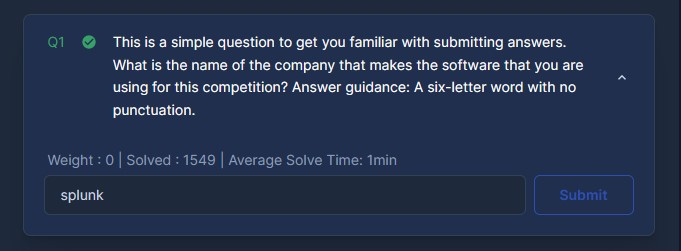
This is a simple question to get you familiar with submitting answers. What is the name of the company that makes the software that you are using for this competition? Answer guidance: A six-letter word with no punctuation.
Question 2 (200)
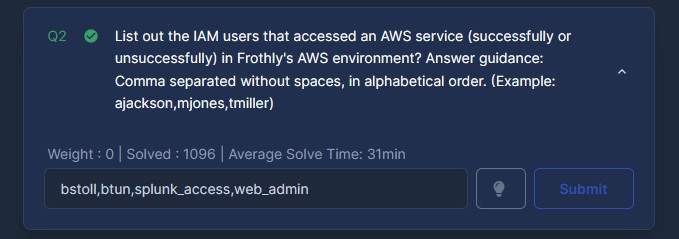
List out the IAM users that accessed an AWS service (successfully or unsuccessfully) in Frothly’s AWS environment? Answer guidance: Comma separated without spaces, in alphabetical order. (Example: ajackson,mjones,tmiller)
For this questions, I found the Amazon account number associated with Frothly. After some searches, I discovered that the account number is associated with the ‘recipientAccountId’ field in Amazon’s Cloudtrail. I used this query to get the ID number.
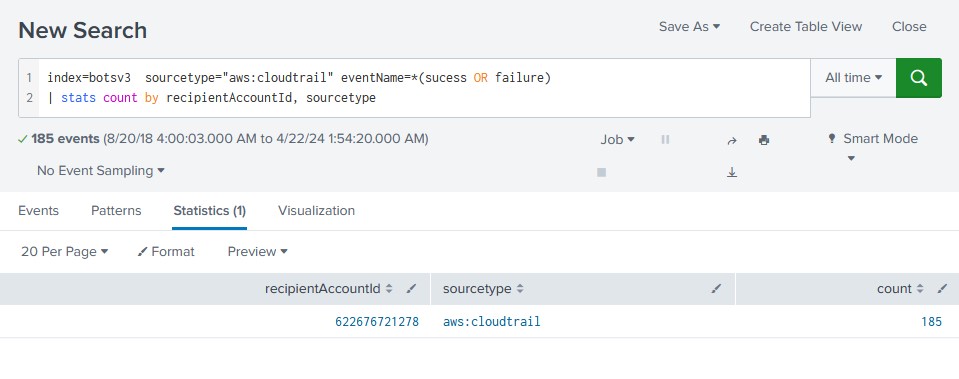
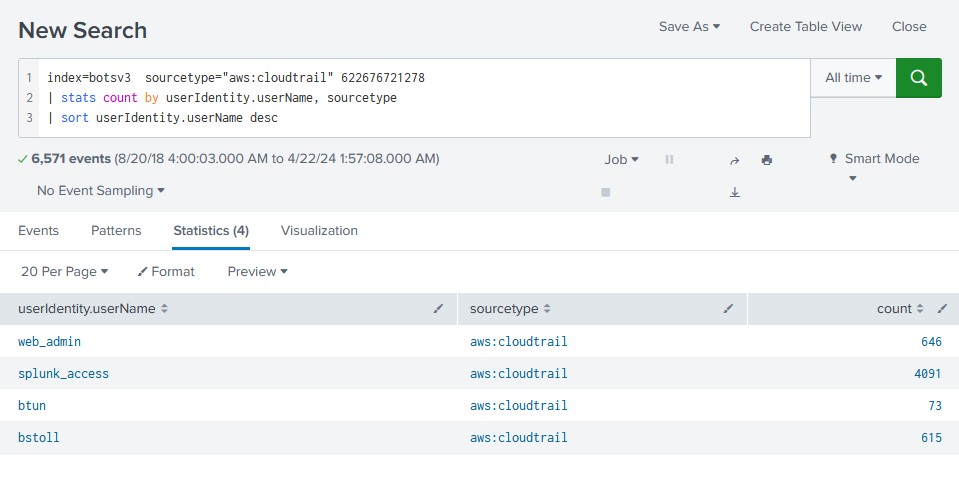
It turned up with the id of ‘622676721278’. With this I could then lookup the user accounts associated with the account ID by using the ‘userIdentity.userName’ field.
Question 3 (201)
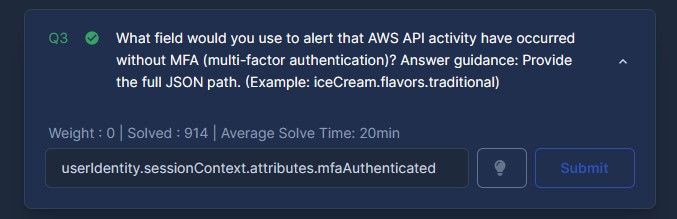
What field would you use to alert that AWS API activity have occurred without MFA (multi-factor authentication)? Answer guidance: Provide the full JSON path. (Example: iceCream.flavors.traditional)
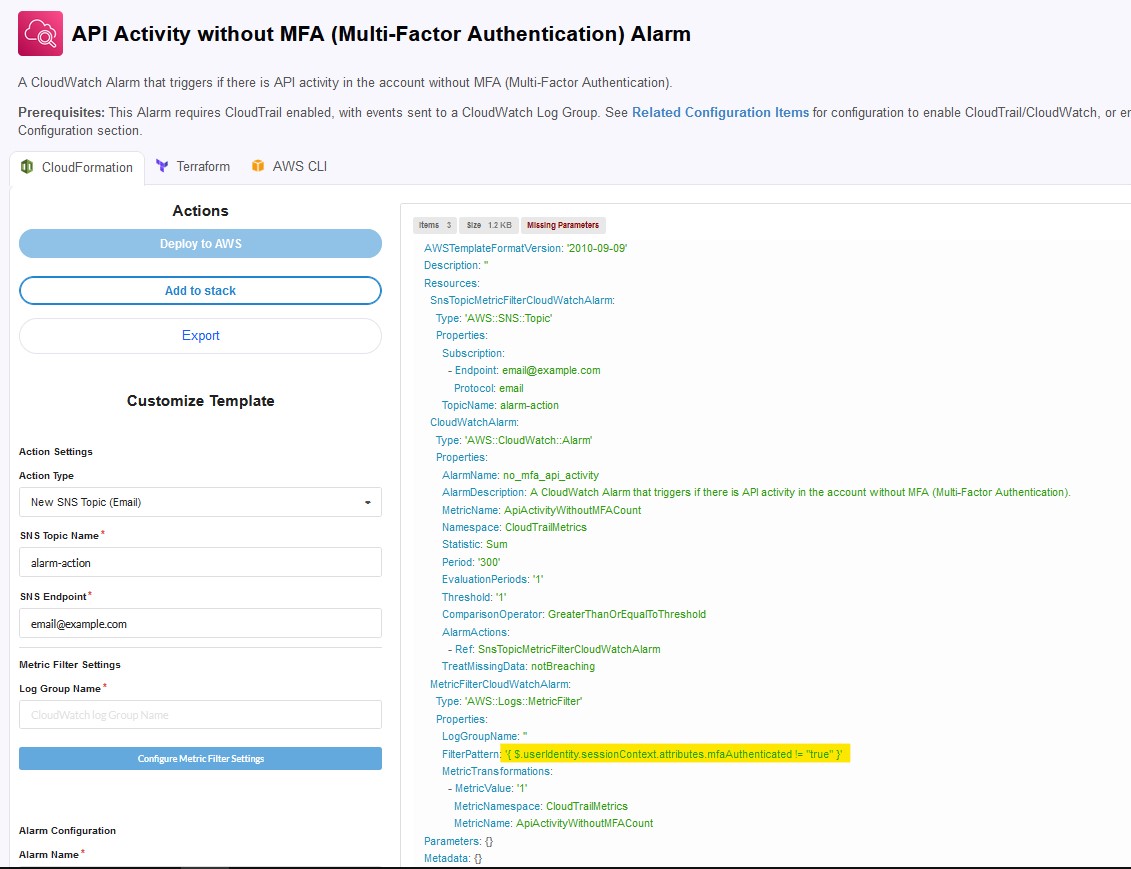
For this one I did some web searching and found a relevant webpage about API activity without MFA that had the specific FilterPattern that should be used.
Question 4 (202)
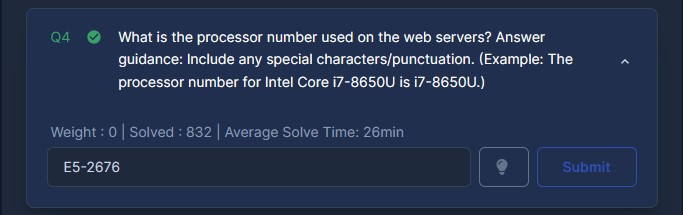
What is the processor number used on the web servers? Answer guidance: Include any special characters/punctuation. (Example: The processor number for Intel Core i7-8650U is i7-8650U.)
For this one, I had to nail down which events would reference hardware specifications. I ran a keyword search for Intel and AMD as most devices run with CPUs from these manufacturers. I wanted to see which sourcetypes these keywords occur in most frequently.
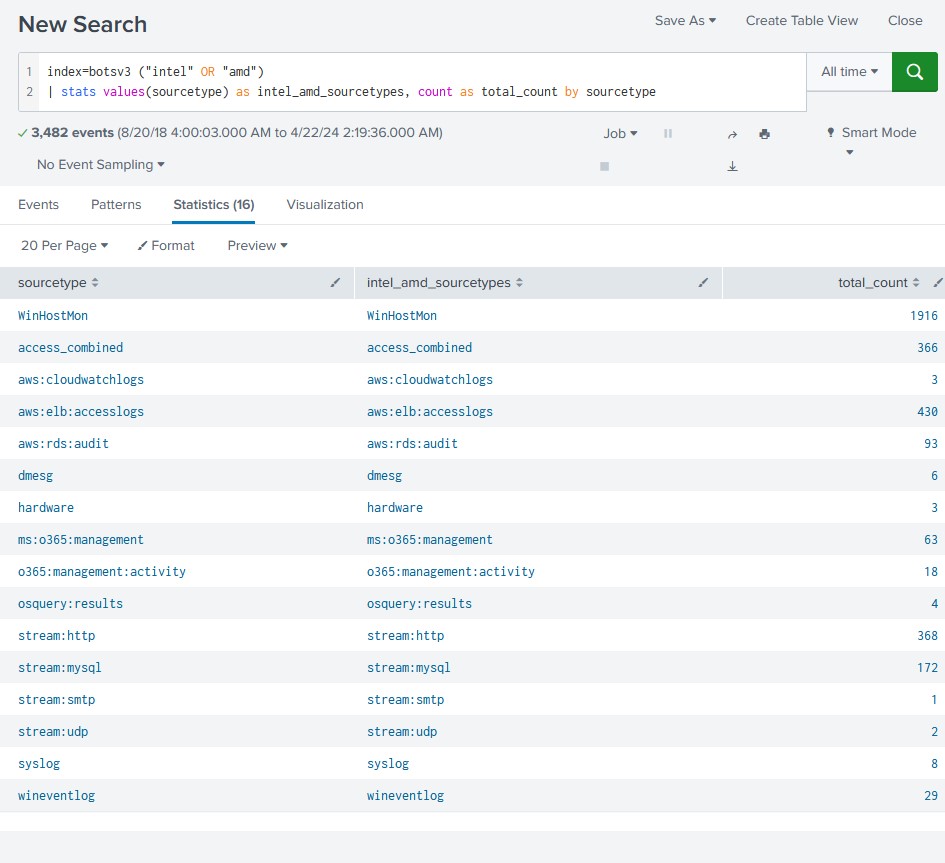
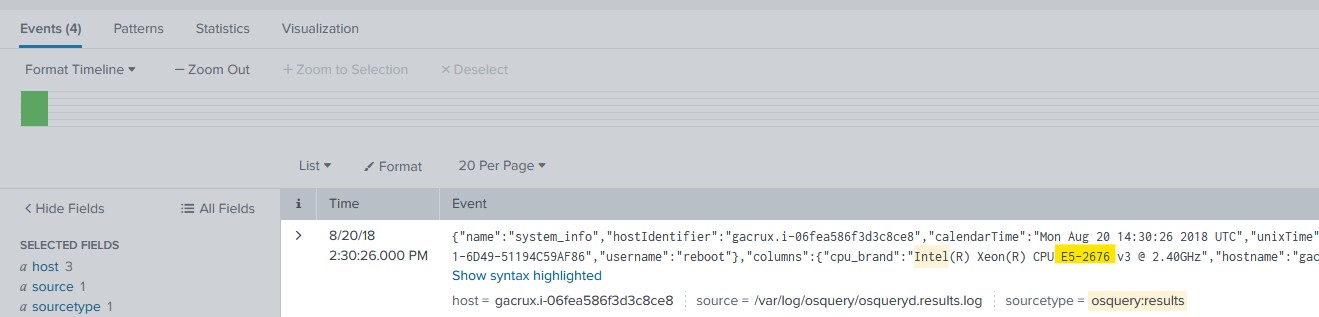
I went through the osquery:results sourcetype and it revealed 4 events. Viewing the raw text of the first event, I found a field for ‘cpu_brand’ with the contents revealing to me the specific process number.
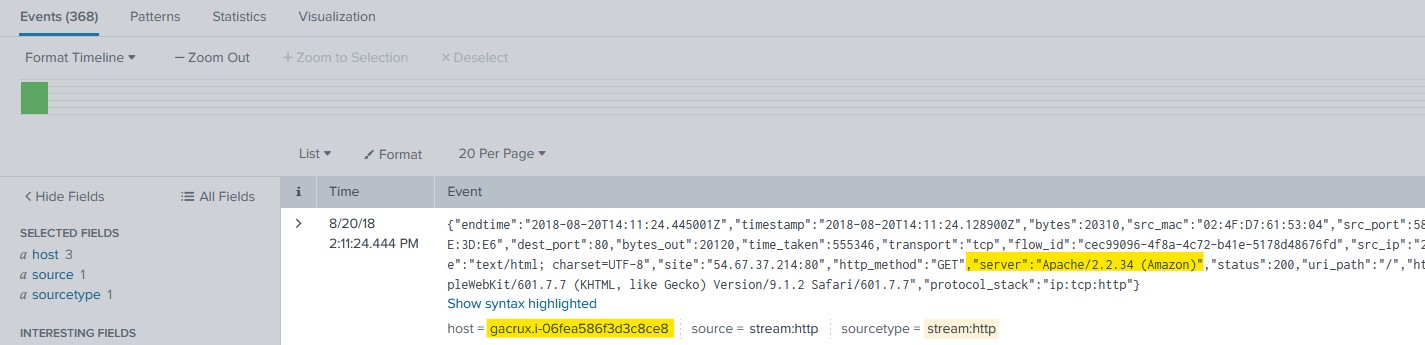
I checked to make sure the host-id matched that of the server by going back to view the ‘stream:http’ events. I viewed the raw text for the first event and I found the confirmation I needed.
Question 5 (203)
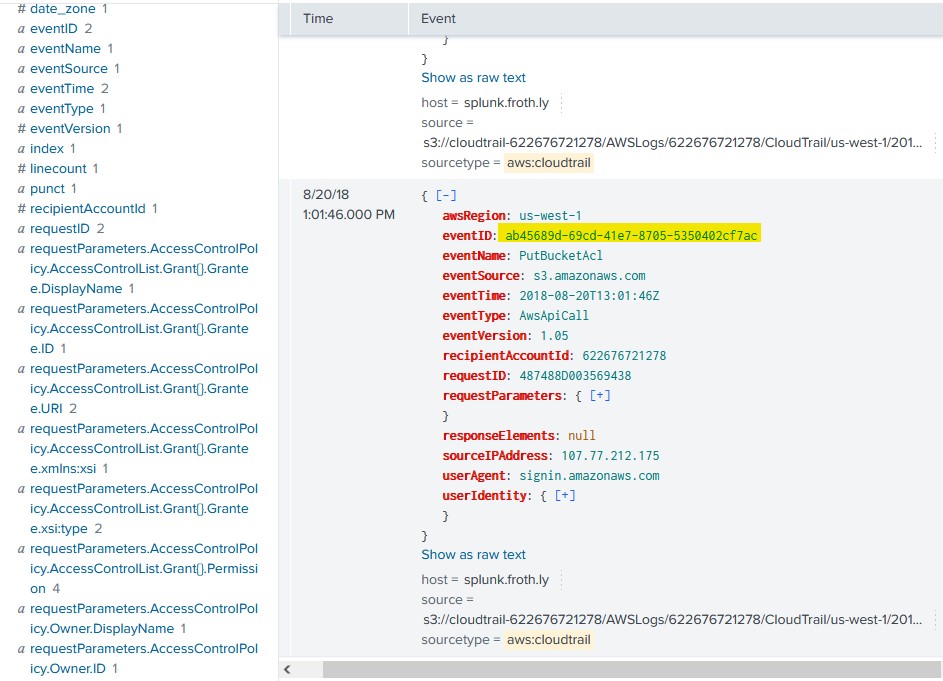
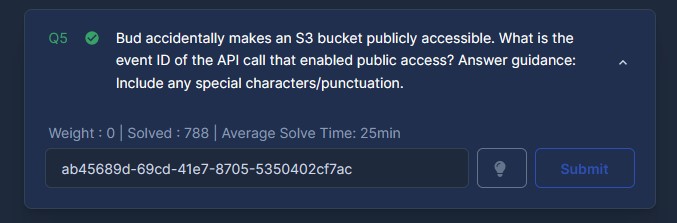
Bud accidentally makes an S3 bucket publicly accessible. What is the event ID of the API call that enabled public access? Answer guidance: Include any special characters/punctuation.
I did some investigative web searching and found out that the specific Cloudtrail event names pertaining to bucket ACL changes and bucket policy changes. I then used this to build my query.
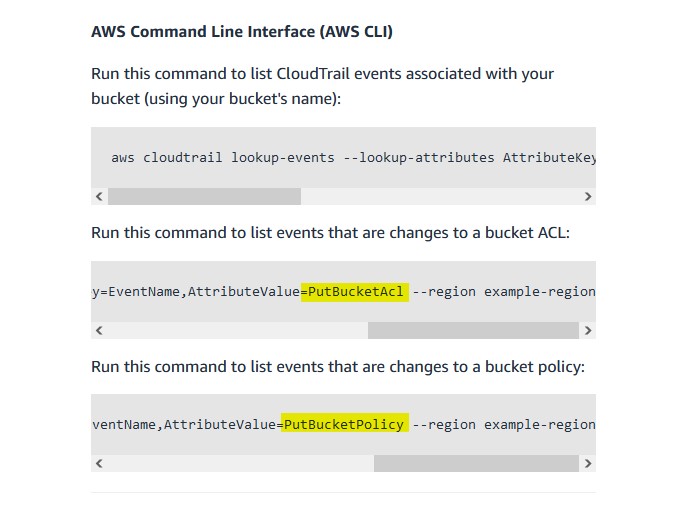
index=botsv3 sourcetype="aws:cloudtrail" (eventName="PutBucketAcl" OR eventName="PutBucketPolicy")
Question 6 (204)
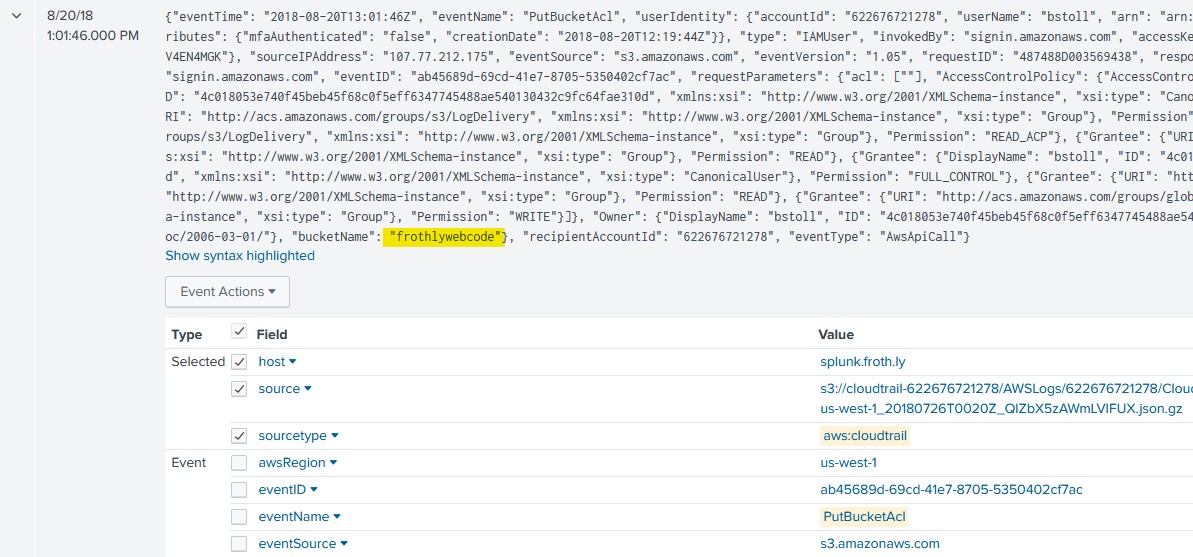
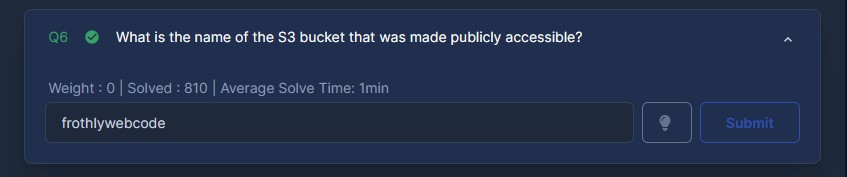
What is the name of the S3 bucket that was made publicly accessible?
For this one I simply viewed the raw text of the event and found the ‘bucketName’ field and its contents.
Question 7 (205)
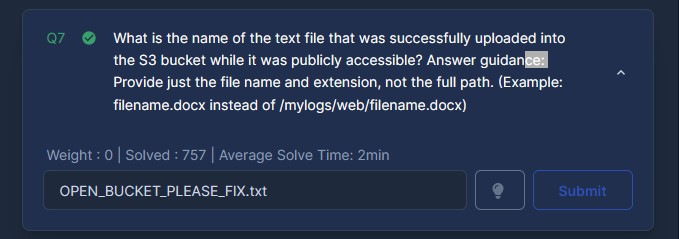
What is the name of the text file that was successfully uploaded into the S3 bucket while it was publicly accessible? Answer guidance: Provide just the file name and extension, not the full path. (Example: filename.docx instead of /mylogs/web/filename.docx)
For this I used a simple query to search for any files with a ‘.txt’ extension from the S3 bucket. On the 6th event at 1:03:46 PM, we can see that the API is functioning because a REST.PUT.OBJECT request is sent and an HTTP 200 OK status code is sent back by the server.

Question 16 (215)
What is the FQDN of the endpoint that is running a different Windows operating system edition than the others?
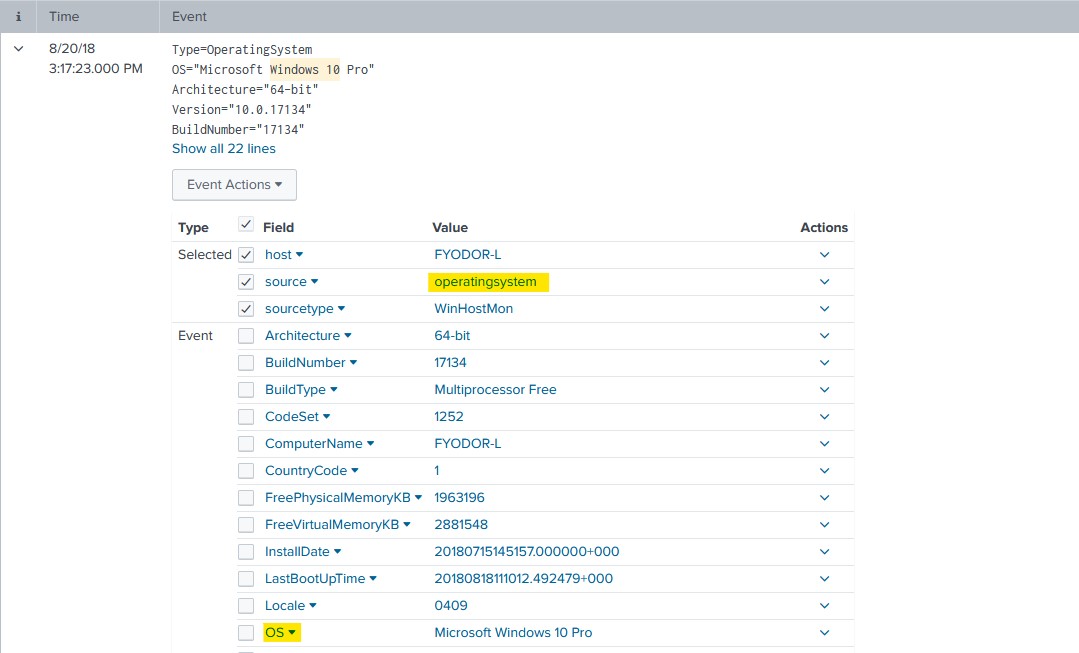
I used a query to search for windows 10 machines in the index to see if I could find a suitable source to further explore. ‘operatingsystem’ looked to be a suitable target to gain the information I needed, and OS was the field I wished to sort by.
index=botsv3 "windows 10"
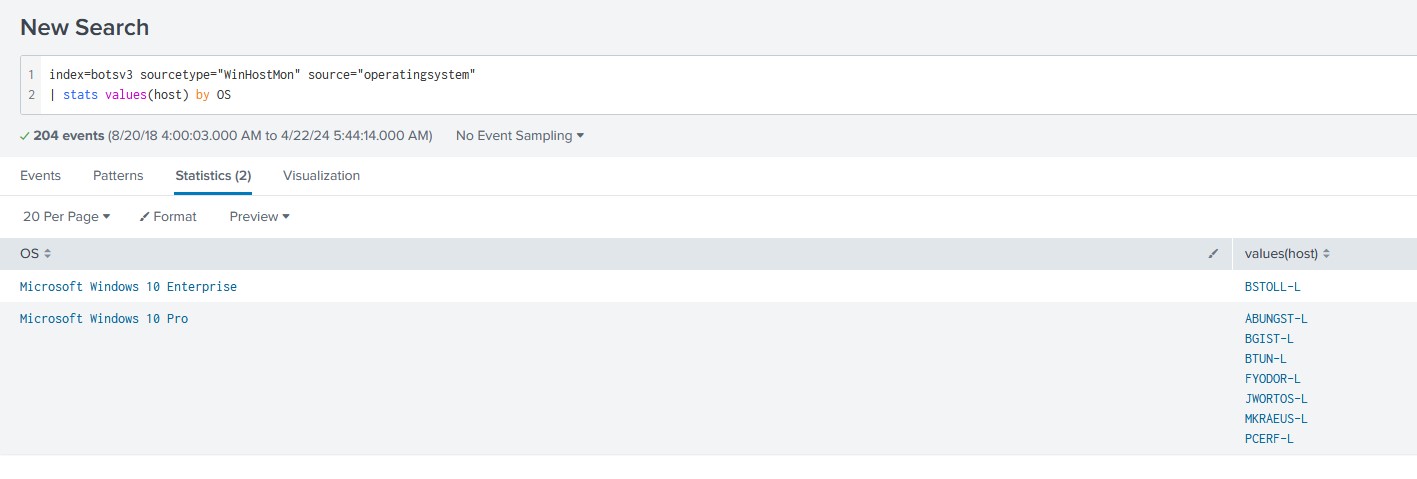
After that, I used a query to figure out which host was using which OS. ‘BSTOLL-L’ revealed itself as the only operating system running Windows 10 Enterprise.
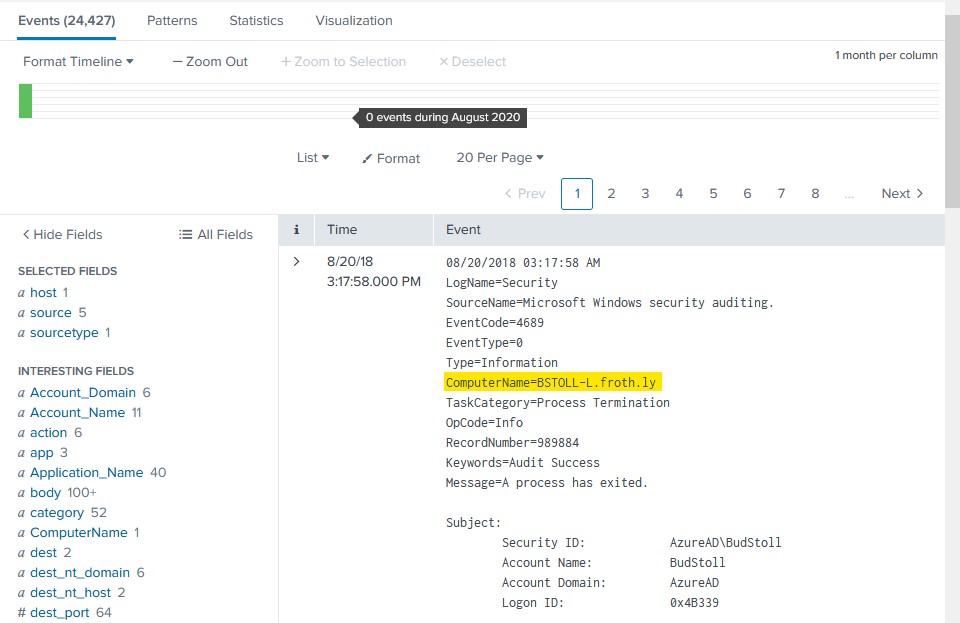
To actually figure out the FQDN of the host I ran a search for events corresponding with this machine in the windows event logs as FQDN will usually be there as ComputerName.
index=botsv3 sourcetype="wineventlogs" host="BSTOLL-L"